These three features ship as part of Instrumap v1.0. They’re working well in my own workflow, but I’m keeping them under “preview” while I gather broader user feedback. Each one is solid enough to use — just be aware of the limitations noted below.
Contents
SampleTank 2 Import
Select SampleTank 2 from the file type filter dropdown to scan .sth files instead of WAVs. Instrumap extracts the embedded audio, reads zone and velocity mapping, and builds keygroups from the results.
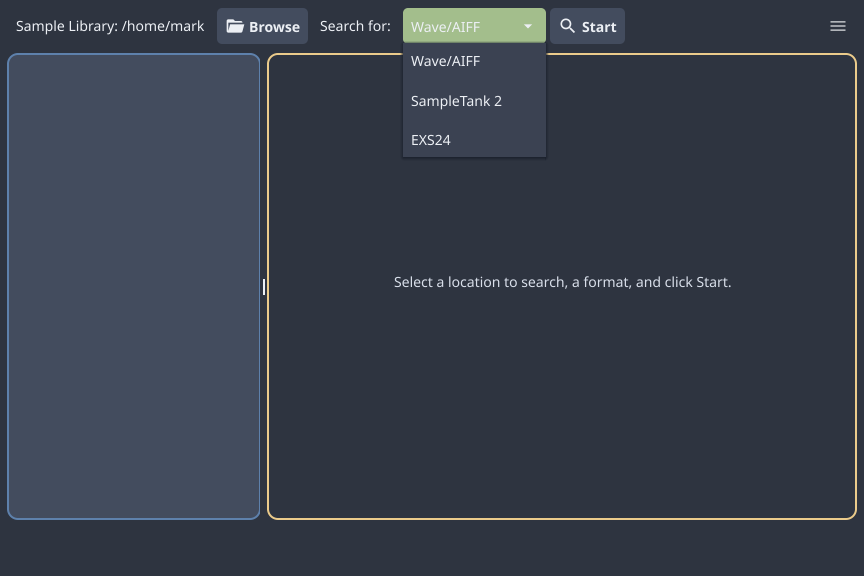
What works: Full instrument extraction including embedded WAV files, zone/key/velocity mapping, and fine-tuning data. Fine-tune values are used in all output formats.
What to watch for: Accuracy is limited. The extraction works but pitch and velocity mapping is not perfect for all instruments. No attempt is made to map amp/filter envelopes or effects. This is a good way to get ST2 libraries into Akai or Deluge formats. These old instruments are efficient and light on memory usage; there are some nice pianos and synths. Try it and let me know how it goes with your specific libraries.
Deluge XML Export
Click Advanced… in the toolbar, select Deluge from the format dropdown, and Instrumap generates Deluge-compatible XML instrument definitions.
Important: Instrumap does NOT copy samples onto your Deluge SD card. It writes XML files that reference existing WAV files in place. You must already have your samples copied to the correct location on your Deluge card — the export dialog will show a warning icon with a reminder. The general idea here is to scan your Deluge card and have Synth patches created automatically.
The dialog looks like this (Deluge format selected):
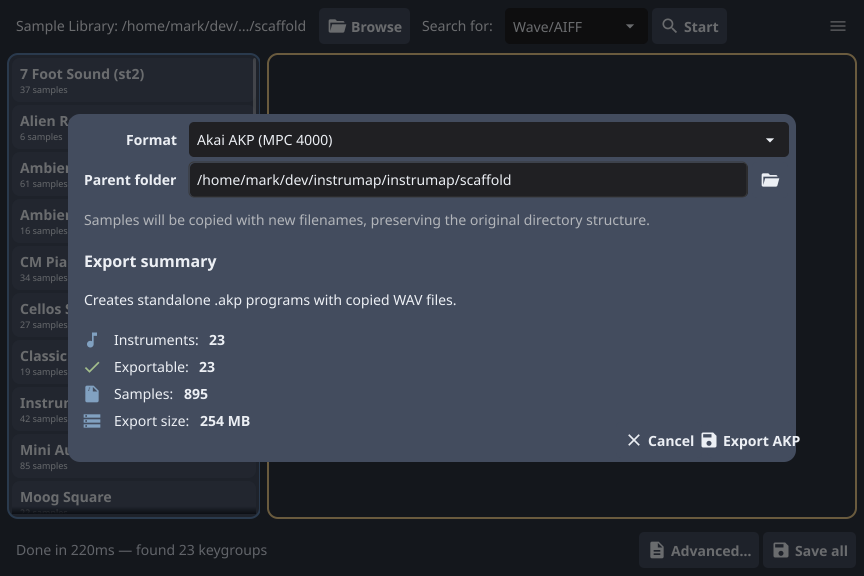
When you select Deluge, the format dropdown shows “Deluge XML”, the parent folder field is disabled (the synths folder location is detected automatically), and the summary shows instrument count, XML file count, and sample references.
What works: This feature is complete and reliable. Point it at your card and it writes the XML definitions where they need to go.
MPC4000 AKP Export
Click Advanced… in the toolbar, select AKP from the format dropdown. Instrumap creates standalone .akp program files alongside copied and renamed WAV files, preserving your project folder structure.
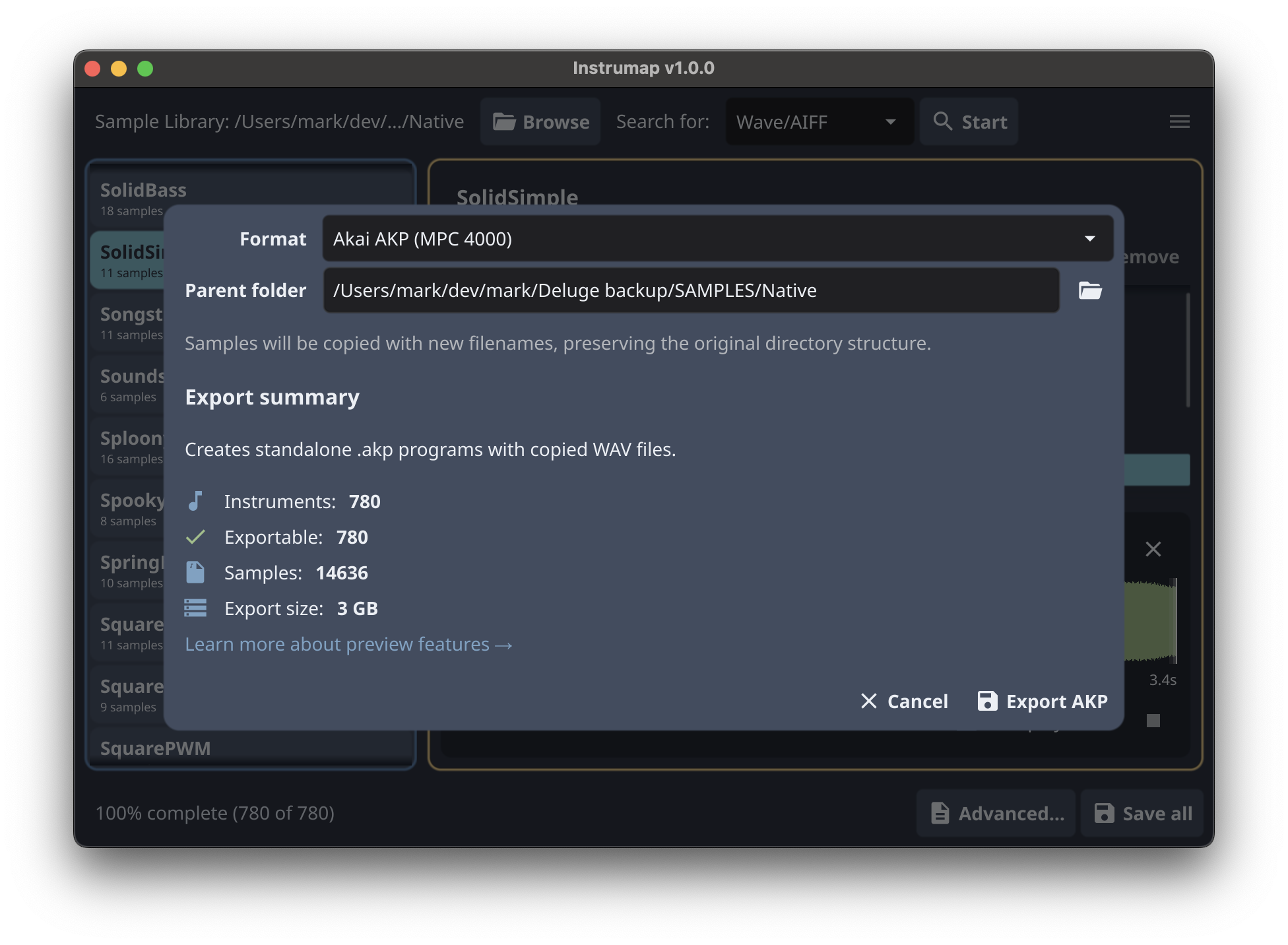
The export dialog shows a summary with instrument count, exportable count, sample count, estimated disk size, and validation feedback (filename length limits, uniqueness checks, velocity layer structure).
What works: Tested and working in MPC Beats (but not on an actual MPC 4000). The export creates everything you need — the .akp program file and all referenced WAV samples in the right directory structure.
Looking for feedback: This is a new export target and I’d love to hear how it works with your setup, especially on hardware MPC4000 units. Let me know if you run into any issues.