What Are Keygroups?
A keygroup program maps audio samples across the keyboard so you can play realistic instruments chromatically. Each keygroup covers a range of notes (a “zone”) and can have up to 4 velocity layers per zone. With velocity switching, harder playing triggers louder, brighter samples — just like a real instrument.
The MPC and Force support keygroup programs natively. You load a program file, and you can play it from the pads or a MIDI keyboard.
Keygroup XL
MPC OS 3 introduced Keygroup XL, which adds dual filters, a modulation matrix, polyphonic LFOs, and tempo-synced envelopes. It’s a significant upgrade for sound design — this deep dive video covers the details well.
The trade-off: Keygroup XL applies its filter, envelope, and LFO settings across the entire program rather than per-keygroup. This is slightly more limited but it’s actually better for most traditional instruments — an instrument-wide filter sweep or LFO is something the old format couldn’t really do at all. Well, technically, on Force at least, you could map a macro to the filter setting on all the groups within a keygroup program… and you’d get a glitchy mess as the CPU melted. Heh. Anyway, there’s a good reddit thread on the topic here.
In short, the new architecture chains a “keygroup block” through a shared “filter/env/LFO block”, whereas legacy keygroups had those settings inside each individual keygroup. This means that Keygroup XL is more capable in some areas and less in others.
Nevertheless, Instrumap writes out the older .xpm files. It’s very easy to convert to Keygroup XL on your device but it’s a one-way street: you can convert to Keygroup XL but not back again. This gives you the most flexibility: keep legacy programs or easily upgrade.
Multisampled Instruments
When it comes to creating detailed multisampled instruments, the machines are capable but I don’t think Akai necessarily envisaged users spending a lot of their time and energy on it. To create instruments with more than 4 velocity layers, you need to create overlapping keygroups: two keygroups per note, each covering the same note range but with different velocity zones. This is how you get 8 layers — it’s the same technique described in MPC-Tutor’s 8-layer keygroup guide, and it works well, but setting it up by hand for every note in an instrument is a chore (although this is a little easier, now, with Keygroup XL instruments).
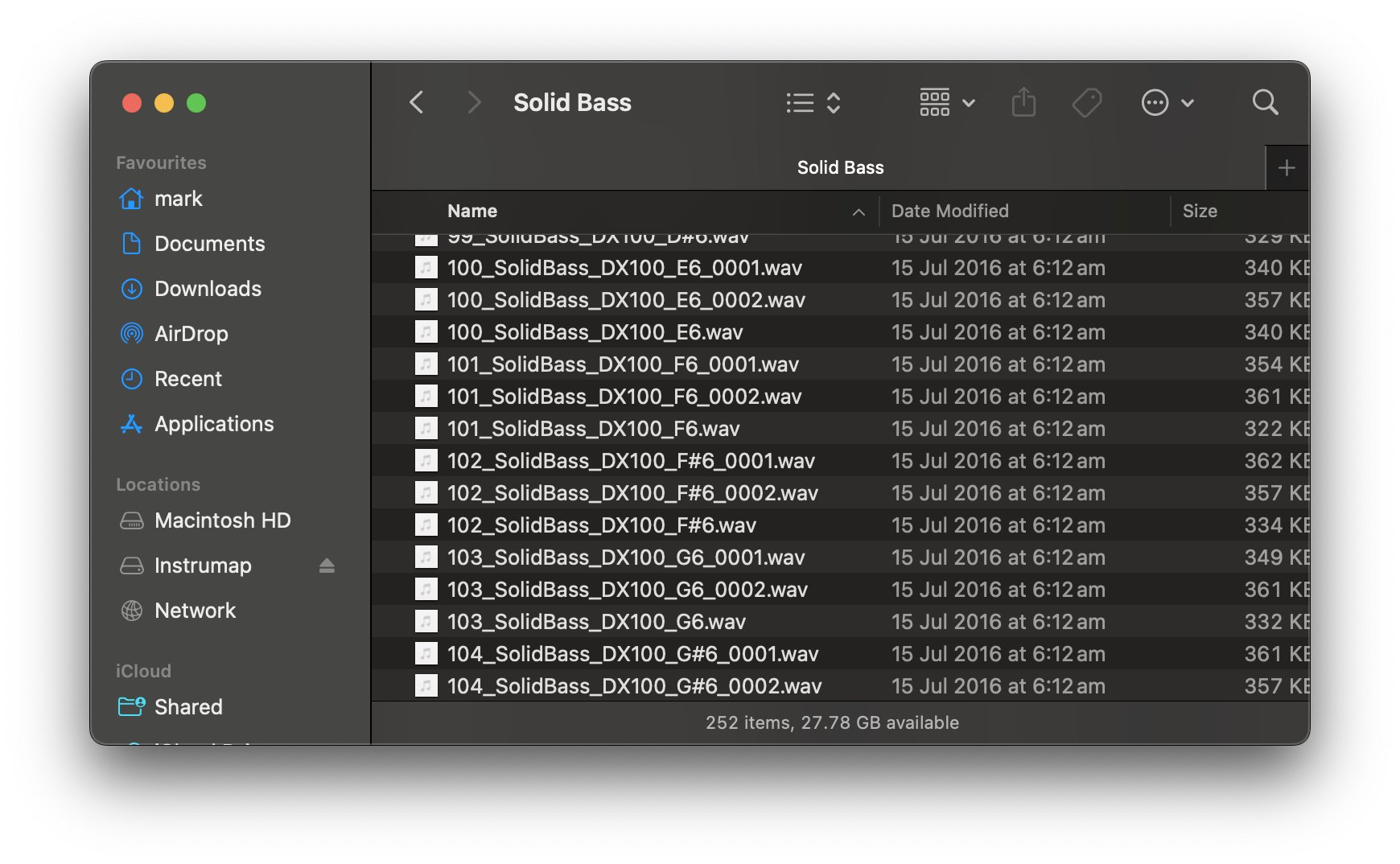
Take a typical Samples From Mars instrument — the DX100 Solid Bass (screenshot below) has 252 separate samples with 4 velocity layers for 63 notes. That’s one instrument and doing it manually is just not something a sane human should attempt. This is not an overhyped example: the SfM DX100 library has a program with 336 samples! Multiply that across a whole library and, well, no one is going to do this by hand! Hopefully we all have better ways to spend our time.
Automate with Instrumap
Instrumap does all of this automatically. Point it at a folder of samples and it:
- Detects pitch from file names — supports 20+ naming conventions
- Maps velocity layers — up to 8 layers per note (the same overlapping keygroup technique above, handled for you)
- Preserves loop points from the source samples
- Generates .xpm keygroup files ready to load on your MPC or Force
- Processes thousands of samples in seconds
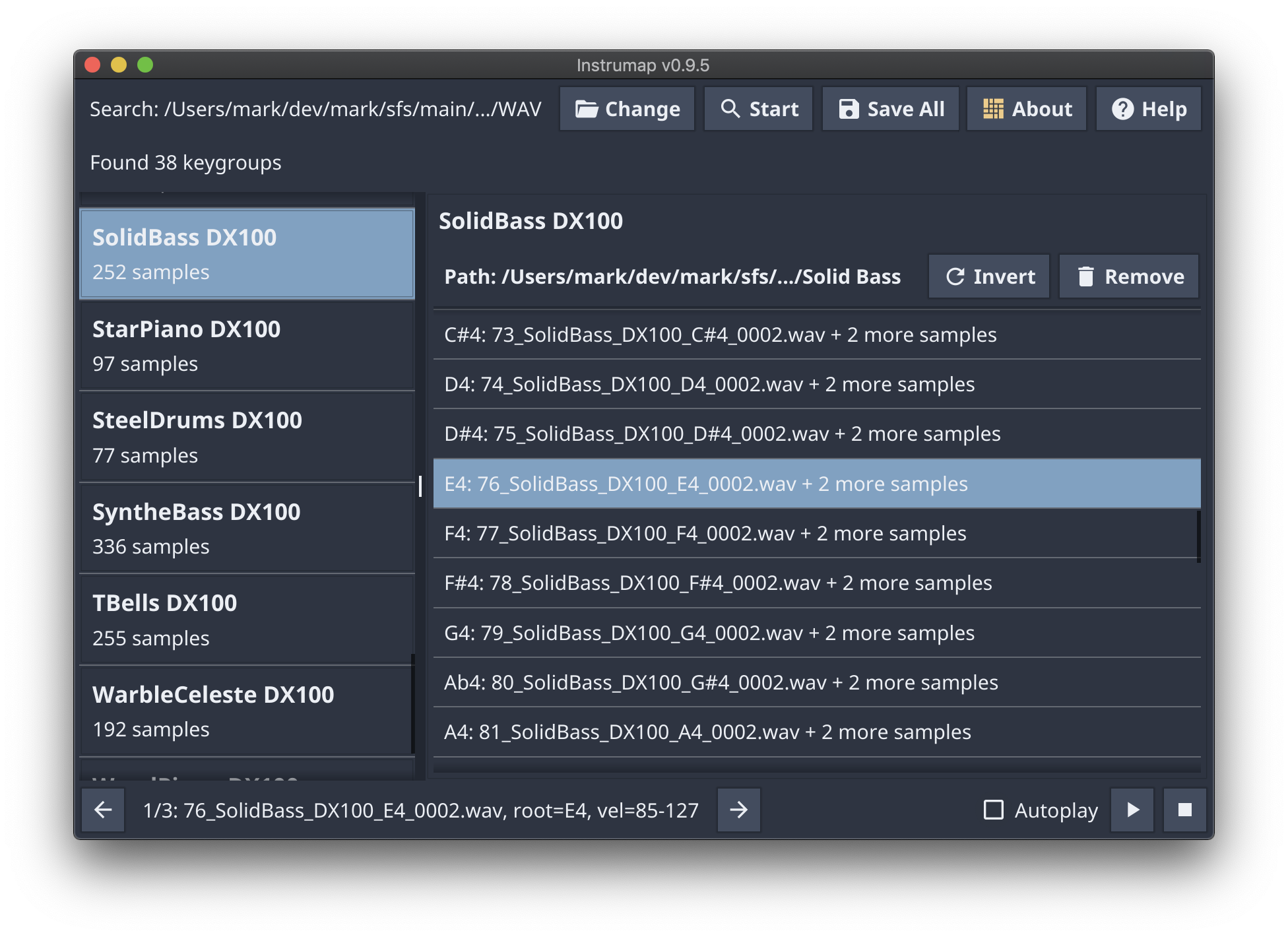
Works with Samples From Mars, Loopmasters, Splice, Native Instruments Maschine expansions, and almost any folder of sensibly named WAV or AIFF files. It also converts EXS24 programs to MPC keygroups.
Further Reading
- Instrumap Quickstart Guide — get up and running in 2 minutes
- Instrumap Compatible Libraries — full list of tested libraries
- MPC3 Keygroup XL Deep Dive Tutorial
- MPC-Tutor’s 8-layer keygroup guide
- Reddit: Keygroup XL Hidden Features & Limitations